Kamis, 12 Desember 2013
3 Tempat Kerja Paling Nyaman di Dunia
Tambahkan sendiri ke dalam daftar impianmu, yang jelas beberapa perusahaan ini telah menempatkan arti "bekerja" pada koridor yang sesuai sehingga perusahaan dan karyawan sama-sama menikmati keuntungan.

Kantor apa saja yang ada dalam daftar?
1. Google
Bekerja di Google tampaknya jadi impian banyak orang. Tempat kerjanya benar-benar enak, banyak makanan gratis, bisa bersantai dan bermain. Pokoknya sisi kreatifitas pegawainya yang paling utama. Tak heran, bbc.co.uk menulis artikel kusus tentang kantor google. Dalam artikel tersebut, ditulis bahwa kantor google itu benar-benar "wacky office".


Foto-foto diambil dari kantor google di Zurich
Sudah nonton film "Social Network", kan? Jadi tahu seperti apa isi otak Mark Zuckerberg. Nah, seperti itulah impian "kerja nyaman" si pendiri facebook.
Menurut hasil penelitian businessinsider, berikut daftar kenyamanan kerja di facebook:
1. Opsi saham.
2. Jam kerja fleksibel, bisa bekerja dari rumah.
3. Banyak makanan.
4. Tak ada bilik kerja, jadi bisa kerja dan sosialisasi dengan siapa saja.
5. Kesempatan besar untuk meraih apa yang kamu impikan.
6. Budaya yang terbuka terhadap berbagai ide.


3. Yahoo
Bukan apa-apa, kantor yahoo sebenarnya belum bisa dibilang "mampu bersaing" dengan milik google atau facebook. Kantor yahoo masih terlalu "clean". Namun, untuk yang di Barcelona ini sudah lumayan seru, sih.


Minggu, 01 Desember 2013
Preview Game Teken 3

Bagi sobat yang belum pernah maen game ini, saya beri preview game Teken 3, yuk dilihat video dan screenshoot2 nya, game ini bisa langsung dimainkan di pc sobat.


Minggu, 27 Oktober 2013
Prediksi SKOR Man City vs Bayern Munchen 3 Oktober Liga Champion

Bayern Munchen sang tamu, saat ini berada di puncak klasemen sementara grup D UCL musim ini setelah melumat wakil Rusia CSKA Moscow di Allianz Arena, Munich dengan skor 3-0 yang masing-masing dicetak oleh Alaba, Mandžukić, dan Robben pada Rabu, 18 September 2013 lalu.
Sedang si tuan rumah Manchester City berada diurutan kedua grup D usai mengalahkan tuan rumah Viktoria Plzen dengan skor juga 3-0. Ketiga gol ini diciptakan dibabak kedua oleh Džeko, Touré, dan Agüero.
Jika menilik prestasi kedua tim sepanjang sejarah Liga Champion, Manchester biru jauh berada dibawah rakasa Jerman, Bayern Munchen. Man City belum pernah merasakan nikmatnya bermain hingga final, sedangkan Bayern Munich sudah pernah menjadi juara lima kali pada tahun 1974, 1975, 1976, 2001, dan 2013, serta juga lima kali menikmati posisi runner up pada 1982, 1987, 1999, 2010, dan 2012. Meski demikian, tidak menutup kemungkinan Manchester City mampu mengukir prestasi dan menciptakan sejarah baru di kompetisi kasta tertinggi klub Eropa ini.
Jadi, siapakah calon pemenang pada laga ini?
Head To Head Pertandingan Manchester City vs Bayern Munchen :
- 2 Agu 2013 Manchester City 1 – Bayern München 2 ( Ujicoba Antarklub )
- 8 Des 2011 Manchester City 2 – Bayern München 0 ( Liga Champions )
- 28 Sep 2011 Bayern München 2 – Manchester City 0 ( Liga Champions )
- 25 Sep 2013 Manchester City 5 – Wigan Athletic 0 ( Capital One Cup )
- 22 Sep 2013 Manchester City 4 – Manchester United 1 ( Liga Primer Inggris )
- 18 Sep 2013 FC Viktoria Plzeň 0 – Manchester City 3 ( Liga Champions )
- 14 Sep 2013 Stoke City 0 – Manchester City 0 ( Liga Primer Inggris )
- 31 Agu 2013 Manchester City 2 – Hull City 0 ( Liga Primer Inggris )
- 26 Sep 2013 Bayern München 4 – Hannover 96 1 ( DFB Pokal )
- 21 Sep 2013 Schalke 04 0 – Bayern München 4 ( Bundes Liga Jerman )
- 18 Sep 2013 Bayern München 3 – CSKA 0 ( Liga Champions )
- 14 Sep 2013 Bayern München 2 – Hannover 96 0 ( Bundes Liga Jerman )
- 31 Agu 2013 Bayern München 2 – Chelsea 2 ( UEFA Super Cup )
Manchester City ( 4-3-3 ) : Costel Pantilimon ( Kiper ), Pablo Zabaleta ( Bek ), Vincent Kompany Bek Matija Nastasic ( Bek ), Gael Clichy ( Bek ), James Milner ( Gelandang ), Javi García ( Gelandang ), Yaya Touré ( Gelandang ), David Silva ( Penyerang ), Edin Dzeko ( Penyerang ), Dzeko ( Penyerang ),
Bayern München ( 4-4-2 ) : Tom Starke ( Kiper ), Arjen Robben ( Bek ), Diego Contento ( Bek ), Thiago Alcántara ( Bek ), Daniel Van Buyten ( Bek ), Philipp Lahm ( Gelandang ), Jerome Boateng ( Gelandang ), Rafinha ( Gelandang ), Franck Ribéry ( Gelandang ), Toni Kroos ( Penyerang ), Thomas Müller ( Penyerang ).
Prediksi SKOR Man City vs Bayern Munchen 3 Oktober 2013 Liga Champion Adalah :
Manchester City 1 : 3 Bayern Munchen
Sabtu, 26 Oktober 2013
Status iOS 6 1 3 Jailbreak Kernels Dump Telah Memasuki Tahap Akhir
Status iOS 6.1.3 Jailbreak : Kernels Dump Telah Memasuki Tahap Akhir

Anda bisa melihat melalui blog tersebut ( Tercantum di sebelah bawah, 17 oktober), disana anda bisa melihat jika ada beberapa perangkat lain yang masih membutuhkan kernel dump, langkah ini diperlukan sebelum melakukan jailbreak, tabel ini memberikan informasi jika percobaan untuk iOS 6.1.3/6.1.4 kernels dump telah memasuki tahap akhir. langkah selanjutnya yang akan dilakukan oleh hacker adalah menyelesaikan tool jailbreak dan melakukan testing.
Saat ini, winocm dan iH8sn0w yang bertanggung jawab untuk mengembangkan dan merilis tool jailbreak untethered iOS 6.1.3/6.1.4, sedangkan untuk tool Jailbreak unteheres iOS 7 adalah evad3rs team. saat ini kemungkinan banyak orang yang khawatir dengan Jailbreak iOS 7, Tapi Planetbeing pernah mengatakan "sulit untuk memberikan perikiraan waktu untuk jailbreak rilis" karena banyak tantangan yang mereka tidak ketahui sehingga mempengaruhi perkembangan jailbreak.
Rabu, 23 Oktober 2013
Spesifikasi Smartfren Andromax C 600 Ribuan Dual Core 3 5G Dual Sim
Simak Juga 5 harga hp android smartfren terbaru


GENERAL Network CDMA 800 / 1900 , GSM 900 / 1800 / 1900 / CDMA 2000-1X 800 MHz EVDO Rev. A dan GSM (Dual on Mode Active)
LAYAR Tipe IPS-LCD High Quality Screen
Ukuran 4.0 inchi IPS Display, WVGA 480 x 800 piksel
DIMENSI Ukuran/Berat -
AUDIO Fitur Vibration, MP3 Ringtones
Jack 3,5 mm Jack Audio
Speakerphone Ya
MEMORY Internal 4 GB, 512 MB RAM
Eksternal microSD, up to 32 GB
DATA 3G EVDO Rev. A up to 3.1 Mbps
EDGE Tidak
GPRS Tidak
WLAN Wi-Fi 802.11 a/b/g/n, Wi-Fi hotspot
Bluetooth Ya, v3.0 with A2DP
Infrared Tidak
USB/Port microUSB v2.0
KAMERA Primer 2 MP
Sekunder Tidak
Video Record Ya
BATERAI Tipe Li-Ion 1420 mAh battery
Standby -
Talk Time -
FITUR OS Android OS, v4.0 (Ice Cream Sandwich)
CPU Qualcomm MSM8625 Dual Core 1GHz ARMv7, GPU: Adreno 203
Browser HTML
GPS Ya, with A-GPS
Messaging SMS (threaded view), MMS, Email, IM, Push Email
Java Via Java Emulator, Fitur tambahan: Stereo FM radio with RDS, Organizer (kalender, kalkulator, clock, voice recorder, Google Drive, Voice Dialer), Viki, VMS, Play Movies, Smartfren Mobile, Smart Pustakaoogle Maps, Google Play (Android Market), Gmail, Google Search, Gtalk,
FITUR LAIN Multiple SIM Dual Mode (CDMA-GSM)
Video Player MP4/H.264/H.263 player
MP3 Player MP3/WAV/eAAC+ player
Audio Record Ya
TV Tidak
Minggu, 13 Oktober 2013
Catan 3 0 1 Review
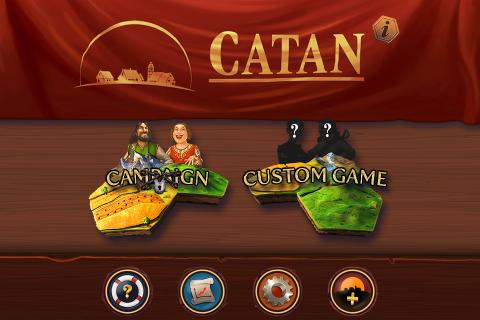
Catan – There are plenty of Android applications which you need to install it on the Android gadget. The first of them is Catan which recently updated to new version, Catan 3.0.1. Catan 3.0.1 could be downloaded from Android Market which the link can be found within this post. Meanwhile, below is detail of the app.

Features of Catan 3.0.1 for Android
There are plenty of features which you can discover in Catan 3.0.1. The following is full features of the app, including new features in Catan 3.0.1
Become a Conqueror, Explorer and Merchant! Rule the Island of Catan!Catan 3.0: “Cities and Knights” expansion (IAP) now available, numerous optimizations to base game!
"Catan", the legendary strategy game provides gaming fun anytime, anywhere.
True to the original game, you can compete with up to four players for the most settlements, the longest roads and the largest army. You can trade with each other and claim the precious land with all its resources.If there are no other players available, various Catanians, each with their own individual characteristics, will prove themselves worthy competitors: the pirate Jean, who knows no compromise, Vincent the merchant, who never allows himself to be cheated, Sean the knight, who takes what is rightfully his...
The popular Catan expansions “Seafarers” and “Cities and Knights” are available as In-App purchases.
The complete Seafarers expansion includes more than 10 additional scenarios with an extensive campaign. Become Harbormaster, discover new islands and extra game elements like ships, gold fields, treasures and pirates. Ahoy!
The Cities and Knights expansion introduces various new gameplay mechanics that add even more variety to Catan. Invest new trade goods in city improvements to build one of the three metropolises of Catan – but beware of the barbarians attracted by Catan’s new wealth! You’ll need your best knights to fend them off! C&K contains a short campaign and 7 challenging maps.
Features:
- Available languages: English, German, French, Dutch, Spanish, Portuguese
- Optimized for standard and high resolution smartphones
- Original "Settlers of Catan" rule set
- Hot seat multiplayer mode
- Smart computer opponents with individual strategies
- Scrollable game board including zoom option
- Freely combinable game settings
- Game statistics
- Comprehensive tutorial
- Seafarers LITE: New scenario "The 4 Islands" and two additional game variants
- Cities and Knights LITE: Test the new expansion in the scenario “The first Island”
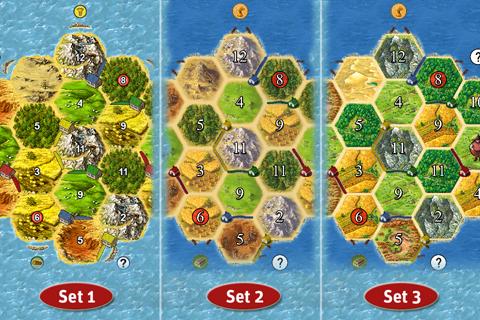
- 3 different graphic sets to choose from*****
Suggestions for improvements and feature requests?
Mail to android@usm.de
We are looking forward to your feedback!When contacting our support team, please provide details on the type of device and Android OS version used as well as a detailed description of the issue. Thank you!
For news and updates follow us on www.facebook.com/UnitedSoftMedia and www.twitter.com/USM_News
*****
Catan FAQ:
Question: Why do I have to download additional files after purchasing?
Answer: The download from Google play includes the basic game data and a tool that will determine your device’s display resolution and then download the optimal graphics data for your device.Question: which Android security permissions does Catan need and why?
Answer: “Storage” to write data to the SD or move the game data, “Network communication” to download game data and access the In App Store and “system tools” to check if Catan is already running to resume a game.Question: I bought one of the expansions but after an update, reinstallation of Catan or after restoring my phone the expansion seems gone?
Answer: Don’t worry; your initial purchase is already saved in your Google account. However for technical reasons you have to select “Buy” again. Confirm and a message will tell you that you’ve already purchased it. You will NOT be billed twice!Question: I lost my campaign progress after reinstalling, updating from or when restoring my phone. Is there any way to restore it?
Answer: Savegames from old versions can usually be restored automatically. For all other cases we’ve integrated a cheat code: Enter campaign mode and go to select player. Enter „CatanWarp*“ (* = 1–15, e.g "CatanWarp5") as your player name and confirm. Exit the game via the home button. Enter your phone’s settings menu. Select applications/manage applications/Catan/ and then “Force Stop”. Restart Catan. The campaign can now be continued from the specified level number by selecting “New scenario *”.
*****
What’s new in Catan 3.0.1
Cities and Knights expansion now available as In-App purchase!3.0.1
- Fixed startup (black screen, stability) and rotation issues
- Fixed robber in classic graphics set
Game will now download the optimal graphic files for your device after installing. (10-20MB additional download required before play)
- Cities and Knights LITE in basic game
- Improved UI scaling
- Improved almanac layout
- Extended tutorial
- Various smaller tweaks and optimizations
- Updated FAQ in app description
Interested to install Catan 3.0.1 to your Android device? Just try this link to download Catan 3.0.1 directly in your Android gadget. You can get Catan 3.0.1 apk too from other sites.
Sabtu, 12 Oktober 2013
Malaysia Bangun PLTN Generasi 3 di Perbatasan Sumatera Utara
Meski belum diketahui detail PLTN itu, namun anggota Tim Sosialisasi PLTN Badan Tenaga Atom Nasional (Batan) Wawan H Purwanto menyebut parlemen Malaysia sudah merekomendasikan penggunaan nuklir di lokasi itu sebagai energi alternatif.
"Negara jiran Malaysia sudah dipastikan mendirikan instalasi nuklir, tapi bukan di wilayah Indonesia tapi di pulau mereka sendiri. Memang kalau ditarik garis ya, di perbatasan Indonesia di sekitar Sumatera Utara," katanya kepada Pelita, di Jakarta, Selasa (19/4).
Selain Malaysia, negara tetangga Indonesia yang juga sudah memastikan mendirikan PLTN adalah Vietnam dan Thailand. Vietnam disebut-sebut berencana membangun 13 instalasi, sedangkan Thailand empat instalasi.
Sementara Singapura, seperti dikutip AFP, awal pekan ini menyatakan "masih jauh" dari pemanfaatan energi tersebut, sebagaimana dijelaskan Menteri Senior Negara untuk Perdagangan dan Industri S Iswaran.
Dirjen Badan Nuklir Malaysia Muhammad Lebai Juri mengakui reaktor yang akan mereka bangun adalah reaktor generasi-3 yang mereka klaim lebih baik dari Jepang.
"Reaktor sekarang adalah reaktor generasi-3 yang lebih baik dari Jepang. Di sini, di Malaysia, kita akan mencari sistem baru dengan memasukkan kapasitas sistem keamanan-nya," kata Muhammad dikutip Uvetmdingnews.
"Kami siap dan akan menentukan langkah-langkah tertentu jika terjadi kebocoran. Kami memiliki sejumlah badan-badan yang akan melakukan langkah-langkah pengamanan jika terjadi kebocoran. Anda harus tahu, Jepang membangun nuklirnya sejak tahun 1970, seperti reaktor nuklir generasi-1," sambungnya.
Dia tidak menyebut nama lokasi tempat yang paling tepat untuk membangun PLTN. Dia menambahkan, sejumlah pakar dari badan nuklir sedang menjajaki rencana ini. "Ada risiko namun teknologi berkembang dan kita juga harus memenuhi kebutuhan kita," kata Muhammad. Kebutuhan mendesak
Wawan H Purwanto menjelaskan, Indonesia memang sudah seharusnya segera merintis penggunaan energi nuklir sebagai energi pengganti bahan bakar fosil. Apalagi kebutuhan energi Indonesia setiap tahun terus meningkat. Jika pada tahun ini hanya sekitar 35.000 Megawatt, maka pada 2025, kebutuhan energi Indonesia sudah meningkat tajam menjadi 100.000 Megawatt.
"Padahal ketersediaan minyak bumi di Indonesia hanya tinggal 21 tahun lagi, gas 61 tahun, dan batubara hanya tersedia 80 tahun lagi," ungkapnya.
Dari sisi ketersediaan bahan baku nuklir seperti uranium,menurut Wawan H Purwanto, Indonesia sangat melimpah. Di Pulau Bangka, bahan baku uranium bisa memasok sampai 400 tahun.
"Di Kalimantan dekat perbatasan Malaysia, malah persediaan uraniumnya juga sampai dua pertiga, sementara Malaysia hanya sepertiganya," katanya.
Sampai saat ini, kata Wawan, Indonesia baru memiliki tiga reaktor itupun untuk tujuan riset seperti di Serpong, Bandung, don Yogyakarta dengan daya sekitar 90 Megawatt. "Selain sebagai riset, energi nuklir itu baru sebatas untuk digunakan pertanian, peternakan, dan kedokteran," ujarnya.
Wawan H Purwanto juga mengakui isu pembangunan energi nuklir di Indonesia menimbulkan pro-kontra di masyarakat karena sebagian besar belum memahami pentingnya memiliki energi nuklir, (rid/zis/jon)
Sumber : http://bataviase.co.id/node/647282
Selasa, 08 Oktober 2013
Free Download Robo Defense 2 3 2 apk
One with the most downloaded apps on Google Play Store is Robo Defense. This app is indeed popular and has been downloaded by millions people. Recently, the developer on this app updates it to new version, Robo Defense 2.3.2. This version brings many new features and improvements. Surely, its going to make the user love it more. If youve got already installed Robo Defense on the android phone or tablet, you just need to update it. Otherwise, you can also download Robo Defense 2.3.2 from the link we present on this page. However, just before download this application, we advise you to learn more what you can get within this app.
Features of Robo Defense 2.3.2 Android
You most likely inquire us what you will get with this application. The following is description of Robo Defense in accordance with official page on Google Play Store.
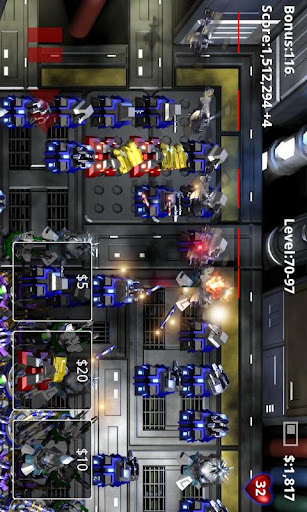
Robo Defense is the ultimate portable tower defense experience. Featuring open maps, upgrades, achievements and nice graphics.The full version features 5 maps with unlimited upgrades and difficulty levels.
A free version is also available (try it first!).
Free version progress is automatically imported into the full version, should you choose to upgrade.
HTC Desire, San Francisco: Turning off "High Quality Graphics" fixes known issues.
Galaxy S: Turn on "16-bit Backgrounds" to fix studdering performance issues.
Atrix: Disable sound to improve stability
Performance tips: If the game is running sluggishly, try playing fully "zoomed in". Turning off "High Quality Graphics Mode", in the options menu, will also help on some phone models.
http://lupislabs.blogspot.com
And here would be the extra features inside the most current version of this application, Robo Defense 2.3.2 apk android:
2.3.2:New Features:
- Added Flare unlock disable until mine is purchased.
Bug Fixes:
- Improved sound stability on Galaxy S2.

So, are you interested to install this application to your android device? Download Robo Defense 2.3.2 immediately into your android device from this link.
Rabu, 02 Oktober 2013
How to Root Samsung Galaxy SL I9003 on Gingerbread 2 3 6 DDKP1 DDKP2 Firmware
Disclaimer: We should not be held responsible in any manner just in case if anything wrong happens to your device, which is a very unlikely event if you follow the procedure which is mentioned below.
Rooting is a process wherein the system files are provided
- Download respective Rooting packages for your Galaxy SL I9003 from the below mentioned links in your computer and extract the same.
- Assuming that you have downloaded the Rooting package, you now need to backup all your data present in your phone so that just in case if the data gets wiped off or corrupted, the same can be restored easily. With the help of below mentioned tips, you can easily backup or restore the data.
Notes – Backup in the mail so that you can then restore manually
Text messages – Use “SMS Backup & Restore app”,
Phone Contacts – Sync with the Gmail application,
Call Log - Call Log and Restore
Pictures, Music, Videos, Files etc.– Copy to internal / External SD Card,
Internet & MMS Settings – Backup all the settings from the path “Applications > Settings > Wireless and Network > Mobile Networks > Access Point Names”
- Enable the USB debugging from the path Settings > Applications > Development > USB debugging as shown in the below screen capture.
 |
| Learn Android |
- Close all tools in your computer like the Antivirus tools, KIES PC Suite and also the firewalls as these tools tend to interrupt the rooting process. Ensure that the device is left with the charge of minimum 60% so as to ensure that all the issues are sorted out.
- From extracted files, open the Odin executable file and turn Off your phone so as to enter your phone in the Download Mode. The Download mode mode can be entered by pressing Volume Down Key + OK button, and holding both simultaneously press the Power Button.


- After selecting the files, ensure that all the other settings like “Re Partition” etc. are selected properly as mentioned in the below screen capture.
- Once you have selected the file and checked with all the settings, you can now proceed to click on “Start”. Once the process is over, the phone will be rebooted automatically. Please note that the device will take more than normal time to boot.
Just in case if you are facing force close errors then you need to turn off the phone to enter the phone in the recovery mode. You can enter into the recovery mode by pressing up on Volume Down Key + OK button, and holding both simultaneously press the Power Button. Once you enter into the recovery mode, choose the options Wipe data/factory reset and also you need to select Wipe Cache partition and then reboot your device by selecting reboot system now option.
So, that’s it you have now successfully rooted your phone, check you have a superuser app in your application list. Do let us know in the comments section just in case if you face any issues in the process of Rooting as we will try our level best to sort out the same.